 BJJ Log10
Catch members before they quietly slip away
Attendance, memberships and classes from your phone — free for members, a retention tool for you.
A jiu-jitsu gym loses about half its members every year. Most of them don't leave angry — they just quietly stop showing up. And the signal always comes first: three times a week drops to once, two weeks pass, and then they're gone.
BJJ Log10 watches for that signal so you don't have to.
Three things that keep your mats full
🎯
Attrition radar
Every day it surfaces who hasn't come in over two weeks — plus members quietly cooling off from 3×/week to 1×. One message can save a member.
🎖️
Promotion radar
The #1 cause of quiet churn is "my professor forgot my promotion." From attendance data, it flags who's due for review — so you never forget.
⏱️
30-second attendance
Members scan the QR on the wall — done. Faster than paper, and who trained when piles up on its own. No app install required.
Open the app. This is the first thing you see.
Three numbers, every morning: who owes fees, who is quietly slipping away, and who is due a promotion. No report to run, no list to keep.
- Tap a card and the roster filters to exactly those members.
- It builds itself from attendance — you never maintain a list.
- Nothing to chase today? It tells you that too.
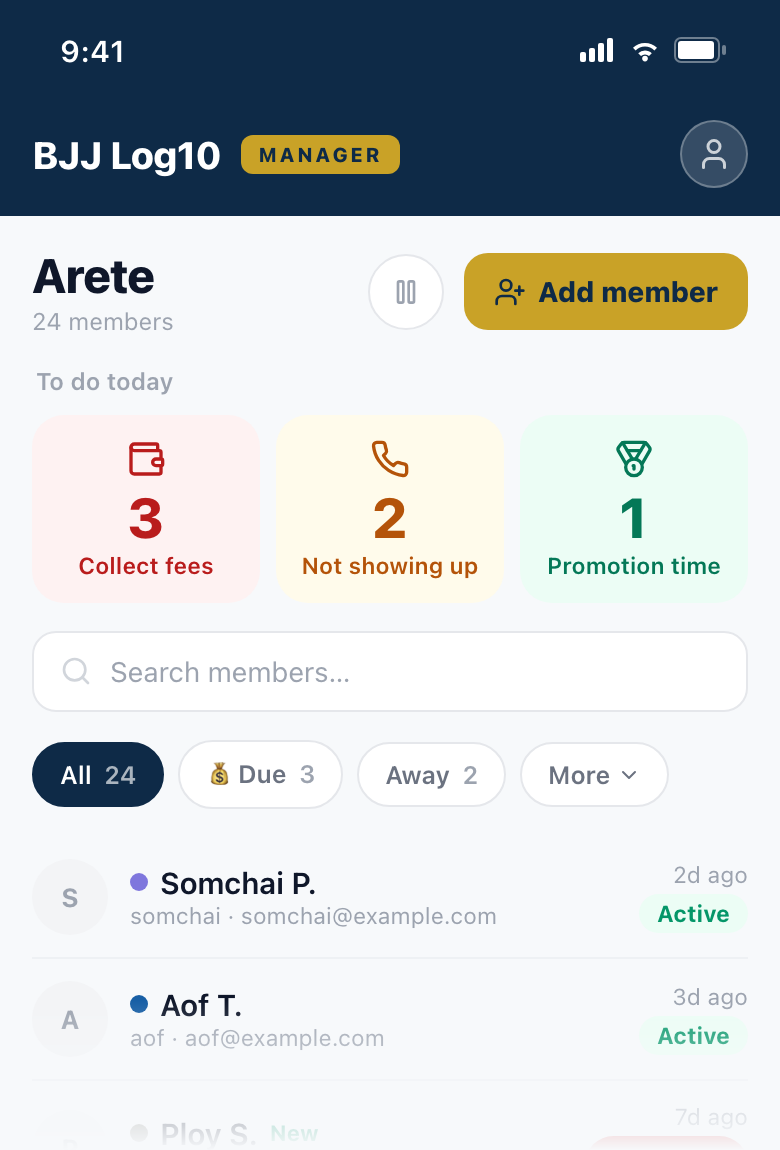
Manager app — the first screen
How do you want to start?
Pick what fits your gym — you can switch anytime
Inside the app you already use
Plenty for a small gym
- 30-second attendance
- Members & memberships
- Per-class attendance insights
No extra install — right in your logbook app
Start in the appFull operation
BJJ Log10 Manager
The home base for running your gym
- Gym dashboard + attrition radar
- Member CRM — notes & contact timeline
- Revenue & renewals
App Store · Google Play coming soon
Start on the web — no install One account — log in with the same account and everything carries over.
It's free. No contract, no credit card.
Your gym may already be in the app — members are logging their training here right now.
Claim your gym →How it works, step by step
1
Gym Dashboard
- Today's check-ins, this month's active members, and total members — right at the top.
- Today's attendees, each listed with their belt rank.
- This month's most frequent members, ranked.
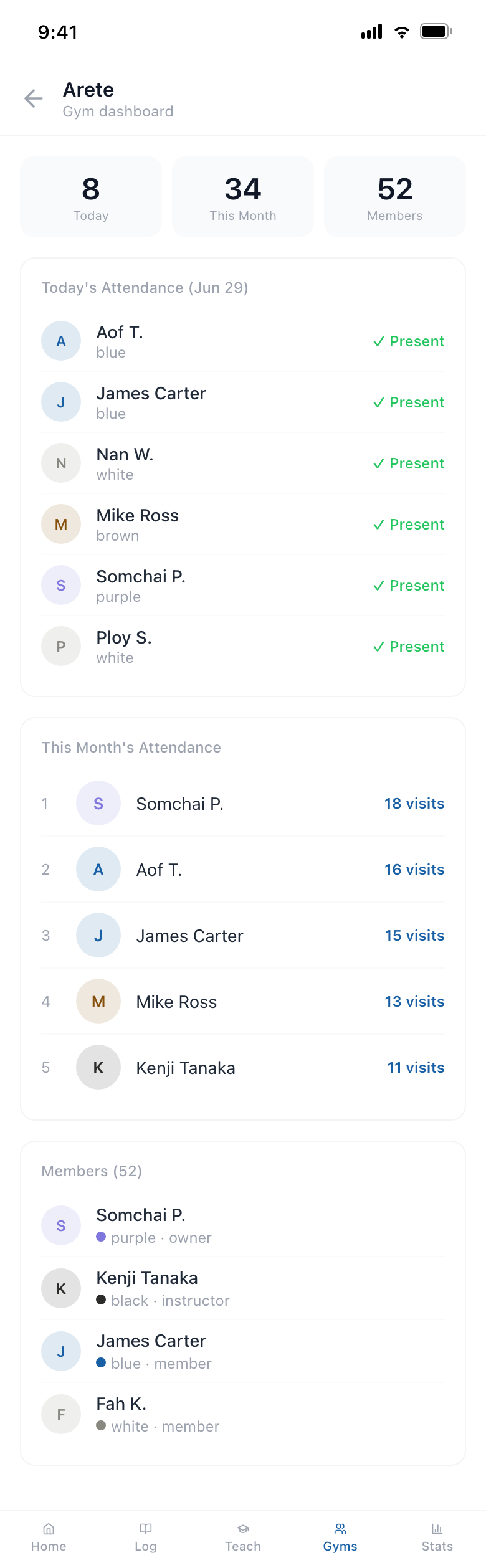
Gym dashboard
2
Gym Page — what members see
- Members see your notice, gym info, who trains here, the week's regulars, and training history.
- Only managers get the Memberships and Manage buttons in the top-right.
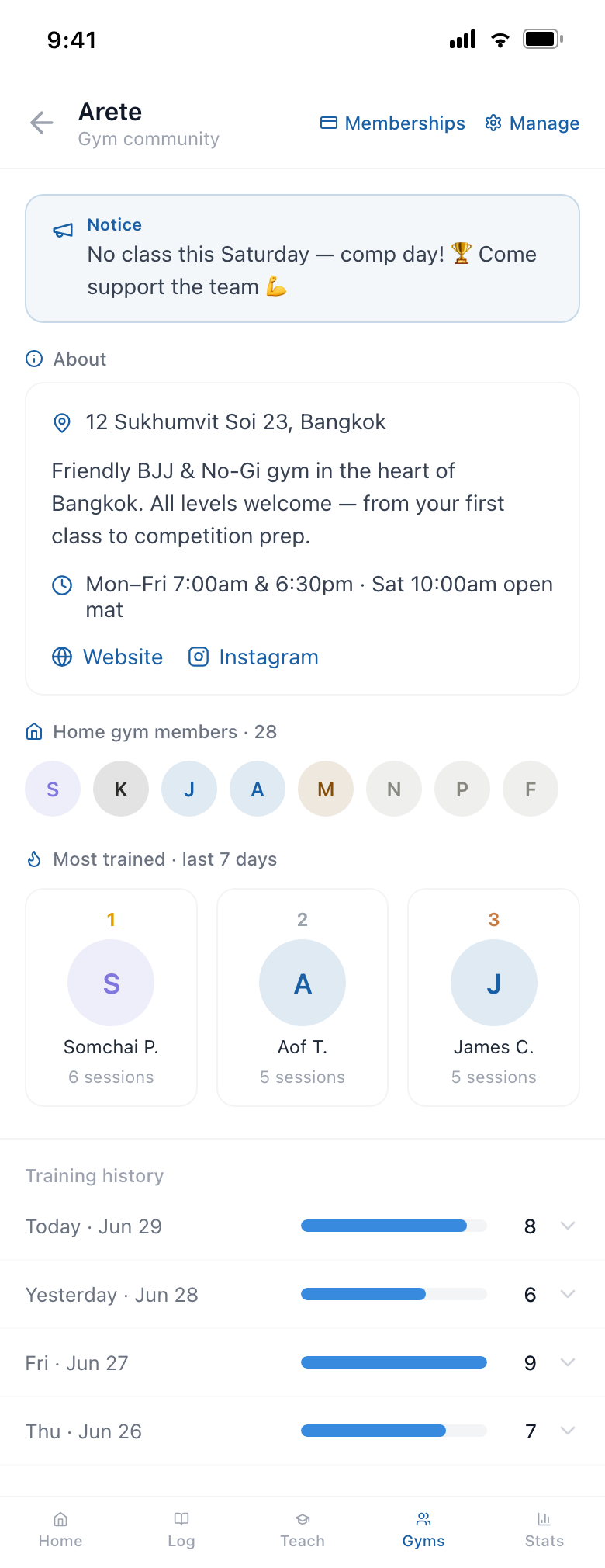
Gym community page
3
Manage Gym
- Post a notice shown to all members — e.g. "No class this Saturday."
- Generate & download the check-in QR poster — print it and stick it on the wall.
- Set address & map pin, description, website and Instagram.
- Build a weekly class schedule — members see the day's classes on your gym page.
- Add co-managers such as your coaches.
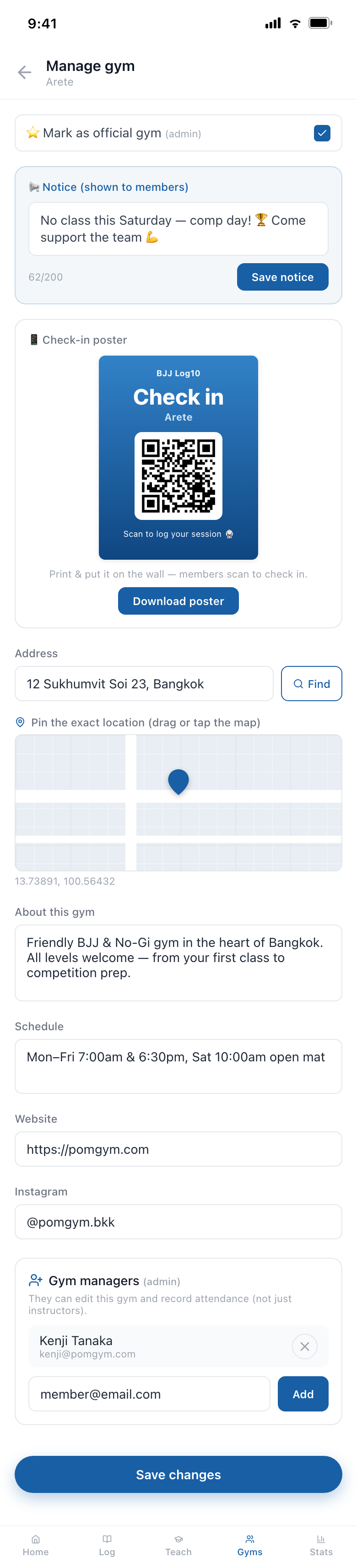
Manage gym
4
Weekly Class Schedule
- Add each class in Manage — day, time, length, type, color and instructor.
- Members get a week strip on the gym page, then tap a day to see that day's classes.
- When a member logs a session, the matching class auto-fills the time, type and instructor.
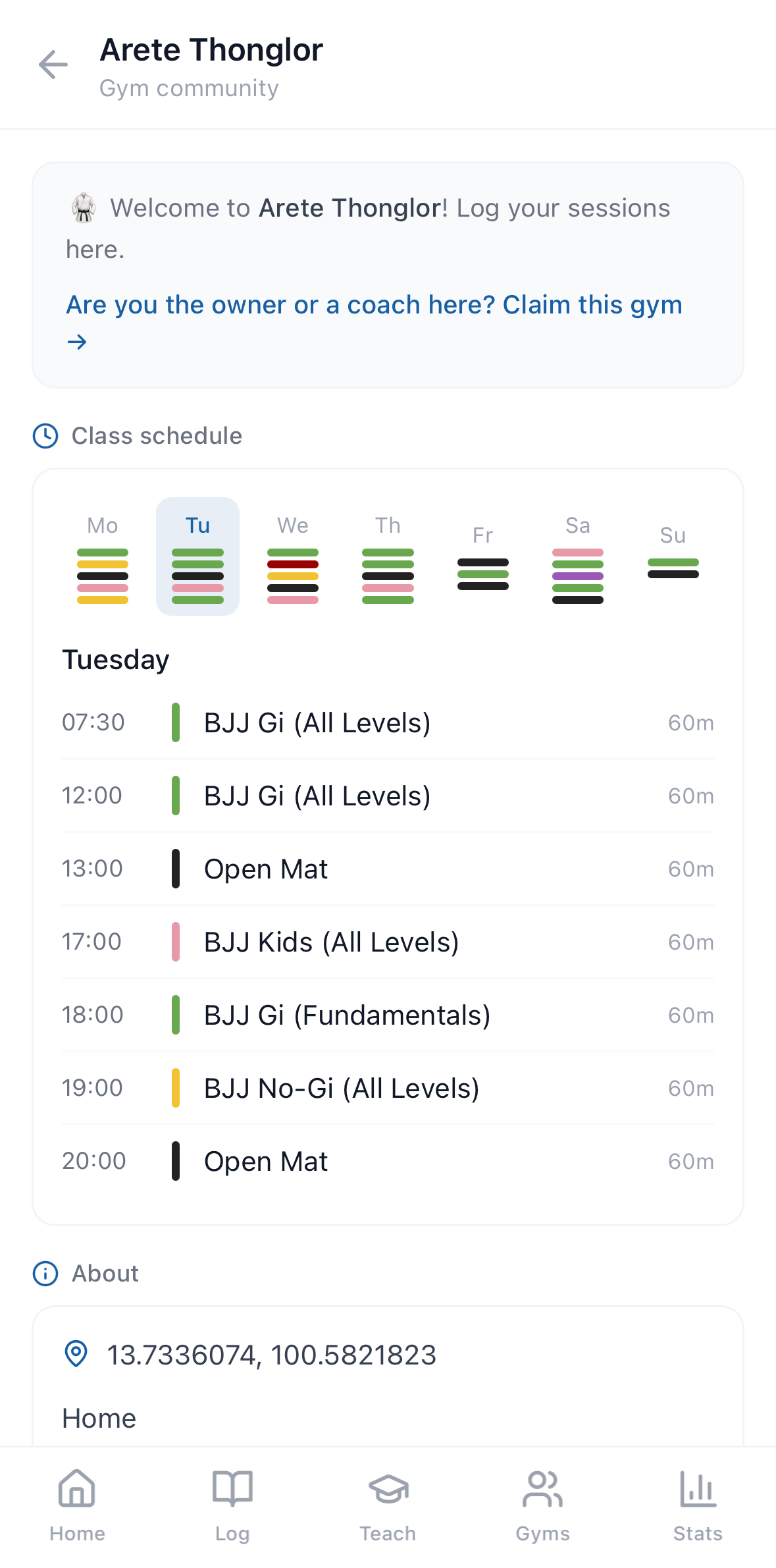
Class schedule (member view)
5
Memberships
- Expiring / expired / active counts, color-coded at the top.
- Each member's status and days-left (D-day) at a glance.
- Register or renew: pick a plan and the end date is auto-calculated; record amount & notes.
- Register a brand-new member just by email.
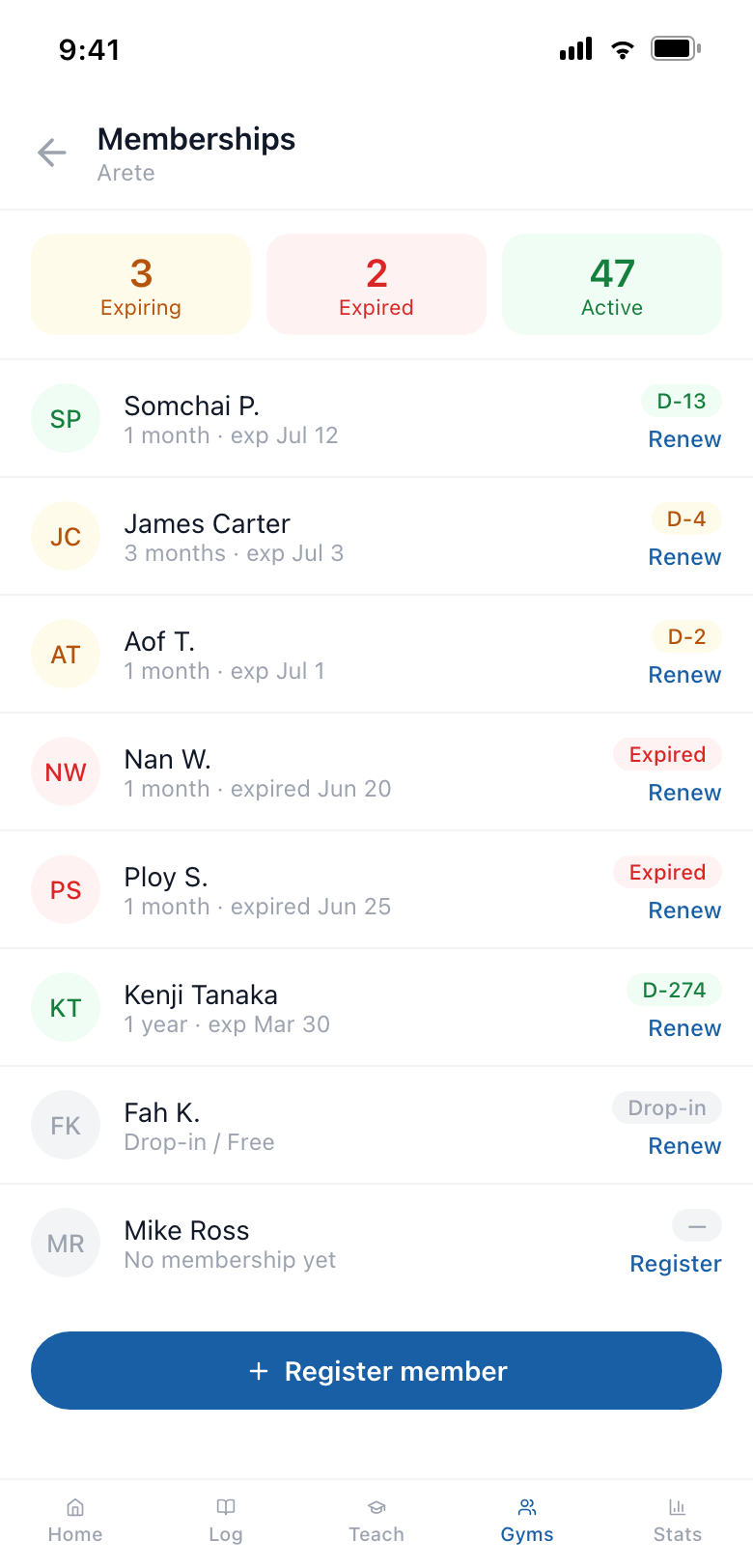
Membership list
6
Register / Renew
- Choose a plan — 1 week, 1 / 3 / 6 months, 1 year, or a custom period.
- Enter the start date and amount (฿) — the expiry and next-due dates appear automatically.
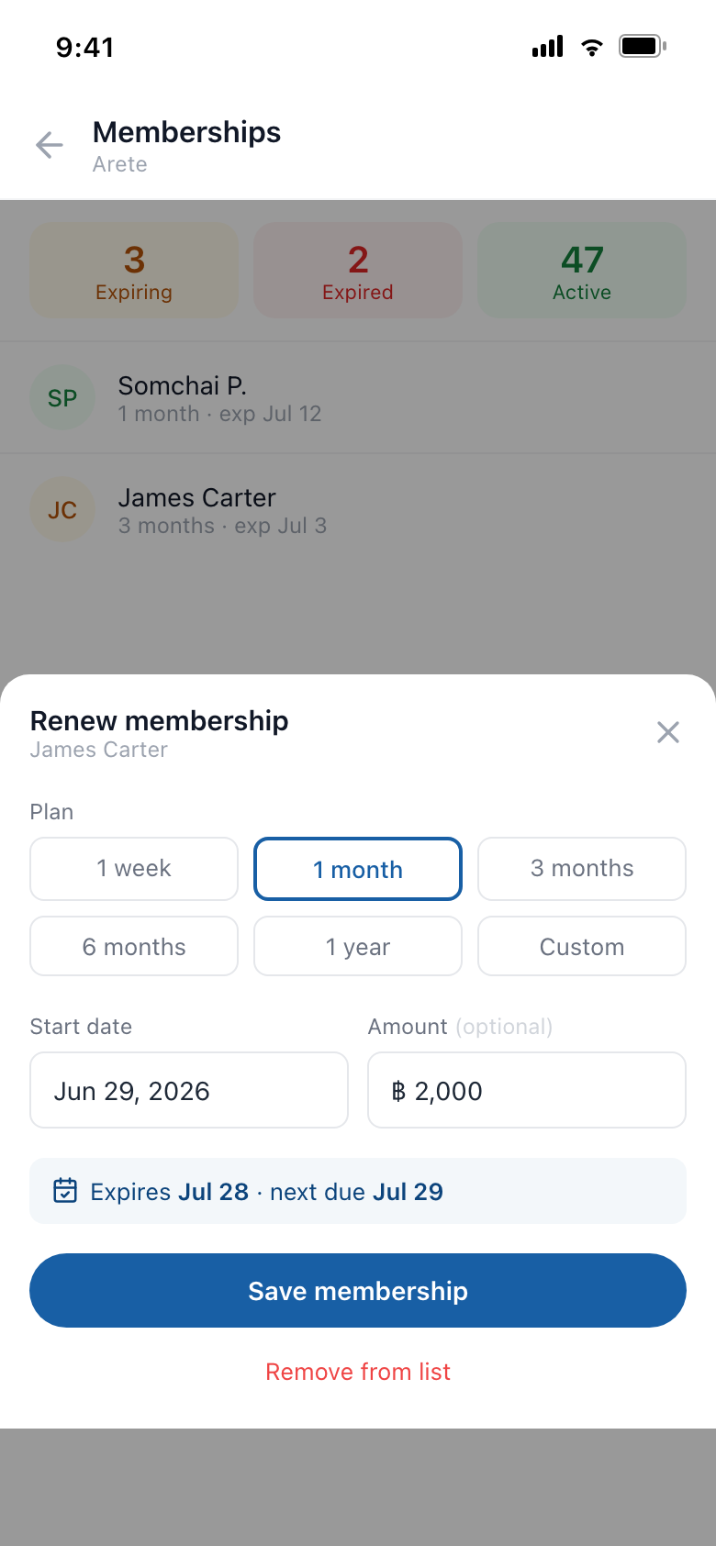
Register / renew sheet
7
Teaching
- Log a class and attendance is tallied automatically.
- Class counts and average attendance for the last 7 and 30 days.
- The students who train with you the most, ranked.
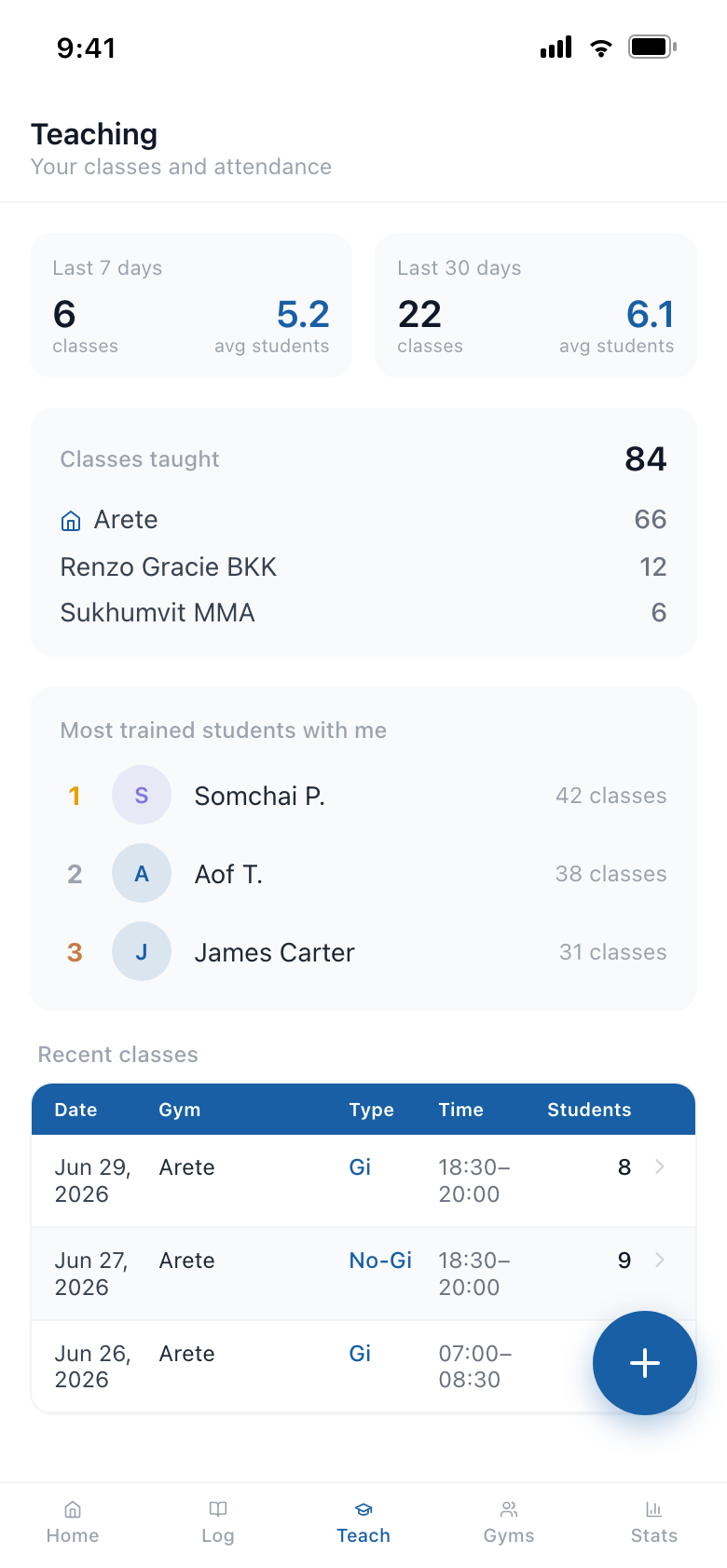
Teaching dashboard
8
Record a Class
- Pick the date, gym, time, and class type (Gi / No-Gi and more).
- Check who attended — members who use the app are auto-suggested.
- Saving the class also adds it to each student's own training log.
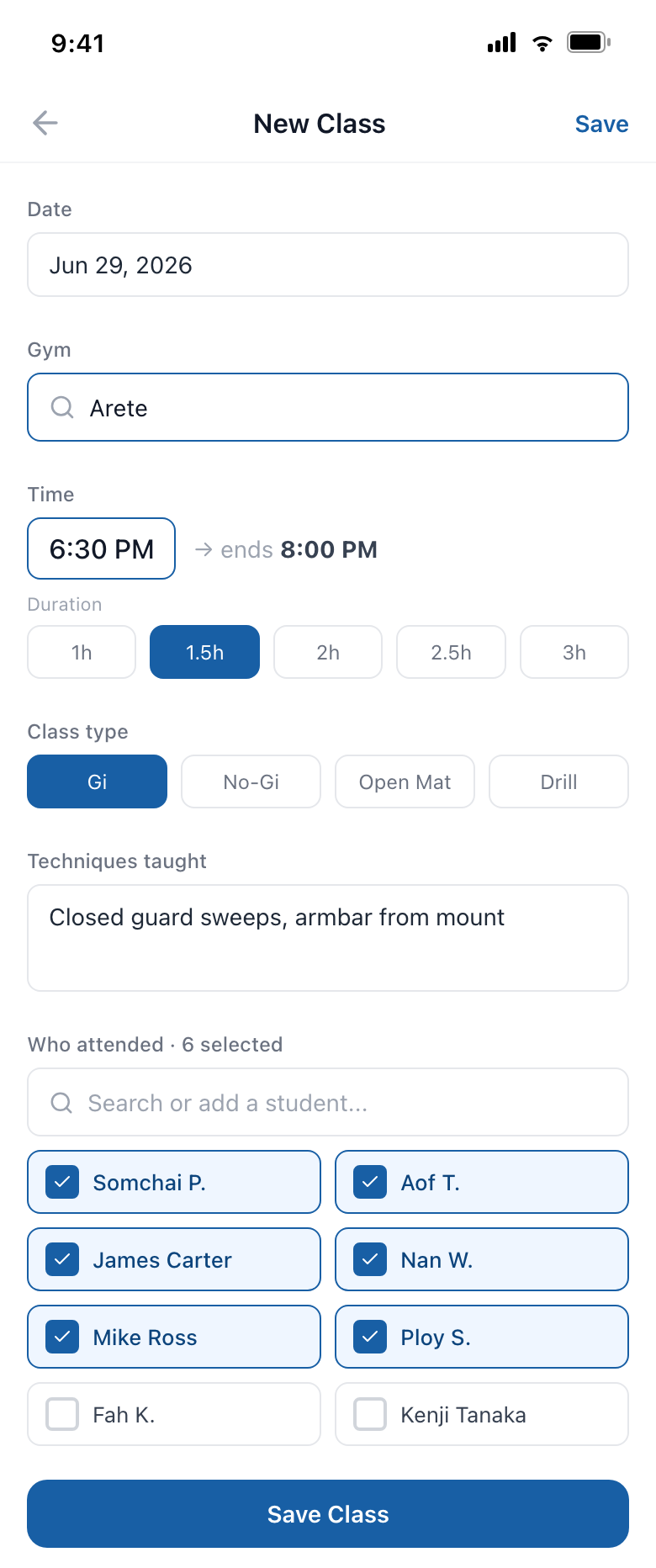
New class
9
Check-in QR Poster
- Stick it on the wall — members scan, enter their email, and they're checked in.
- No app install required.
- Every check-in flows into the dashboard and stats automatically.
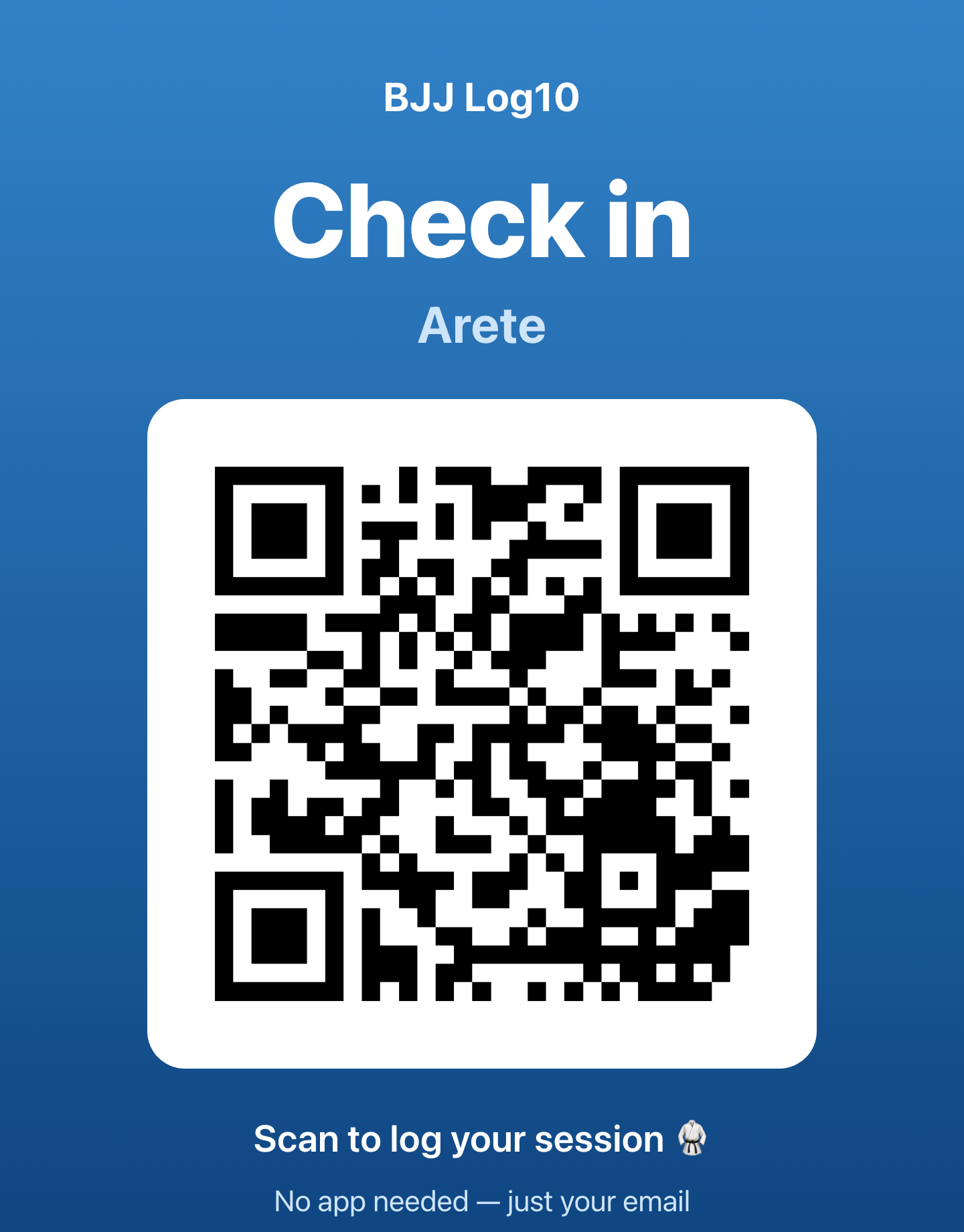
Printable check-in poster
10
Private Lessons
- Any coach turns on a private-lessons card — no setup, no approval.
- A student picks a time and requests; the coach confirms in a tap.
- Confirmed lessons log themselves for both — and count toward the coach's mat time.
- Payment stays between you and your members; the app just handles the booking.
Getting Started
Open your gym's page in the app and tap "Claim this gym" — or email support@bjjlog10.com.
Once you're added as a manager, you'll get the Teach tab and the Manage · Memberships buttons on your gym page.
Print the QR poster and put it up by the mats.
Done — members check in, and attendance, memberships and classes build up automatically.
It's Free
Free for both members and managers.
🥋 BJJ Log10 · bjjlog10.com · support@bjjlog10.com